
nShare Dutyholder · nshare.app
The compliance record that stays with you, not your contractor.
Dutyholder gives building owners, facilities teams and managing agents one independent home for every asbestos, water hygiene and fire record across the portfolio. Any consultancy can deliver into it. You keep it.
Why Dutyholder
Three things every other portal gets the wrong way round.
Independent of your service providers
Dutyholder isn't a contractor's portal with your name on it. Any consultancy can deliver into it, and if you change supplier the record carries on without a gap.
The dutyholder owns the data
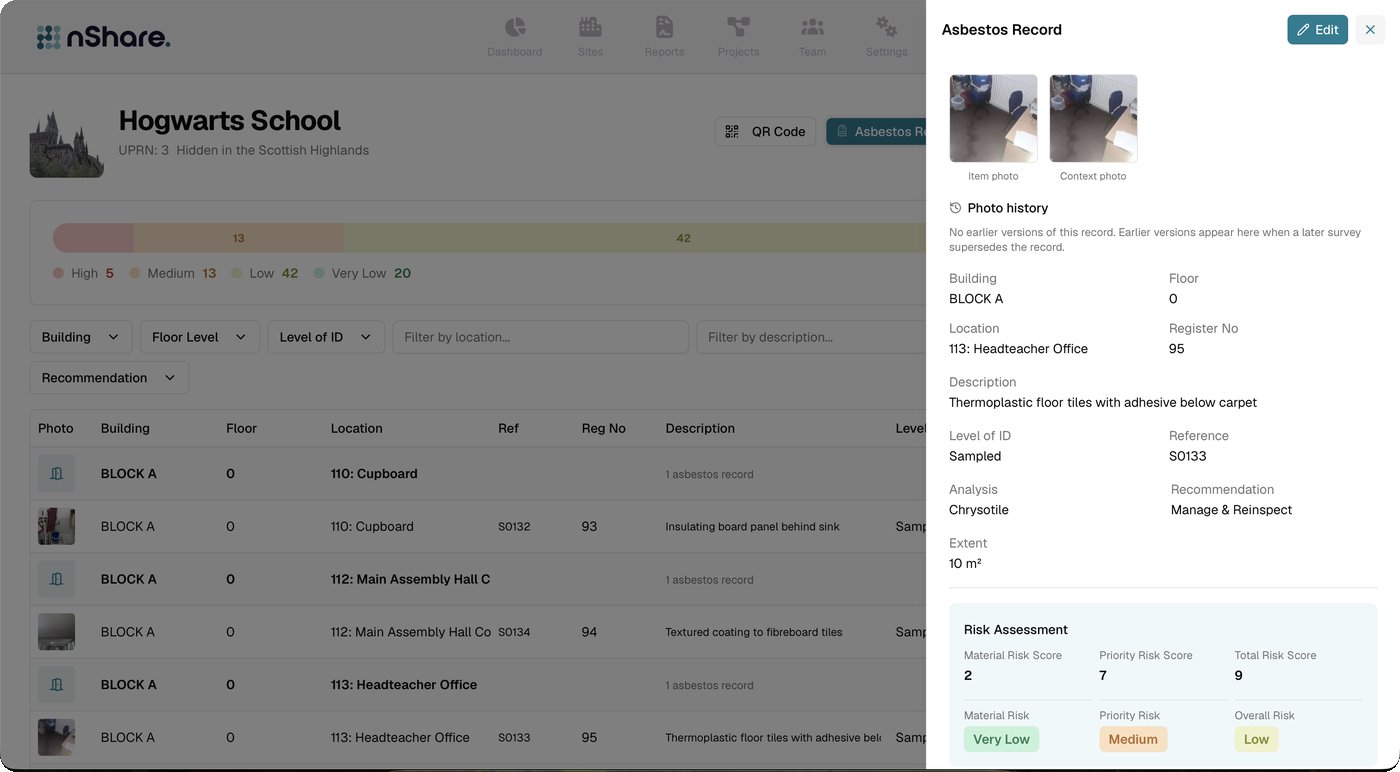
Registers, reports, plans, actions and their history belong to the organisation that carries the duty under CAR 2012, the ACoP L8 and the Fire Safety Order. Export it whenever you like.
Connected to authoritative data
Findings arrive as structured data from the consultancy's own survey system, so the register is the survey, not someone's reading of a PDF.
Portfolio
Every site in your estate, in one list.
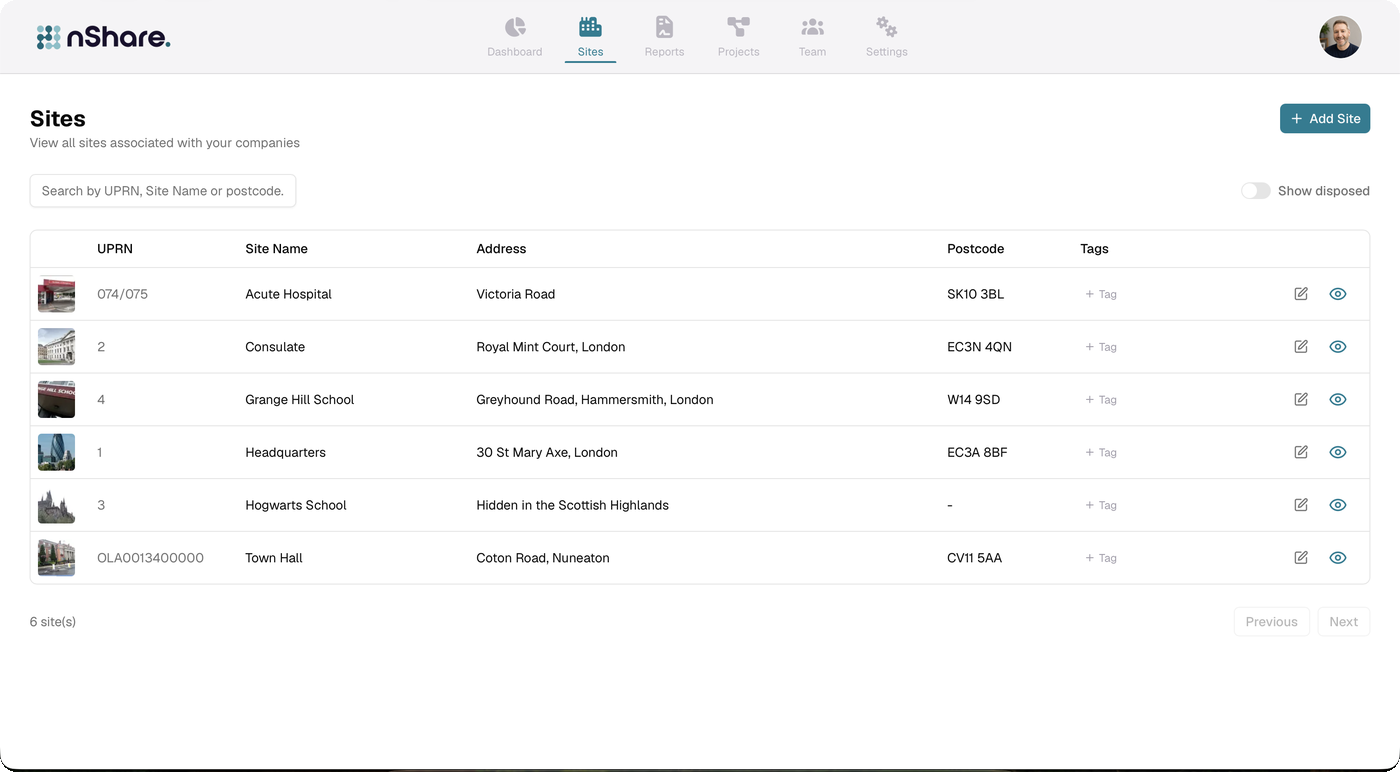
Search by UPRN, site name or postcode. Tag sites however your organisation groups them, keep disposed sites on record without cluttering the view, and open any site to see its registers and actions.
Sharing
The right people see the right register.
Suppliers deliver and update. Tenants and residents see what they're entitled to. Contractors check the register before they drill a hole. Everyone works from the same record and you decide who sees what.
Projects
Plan the work, not just the records.
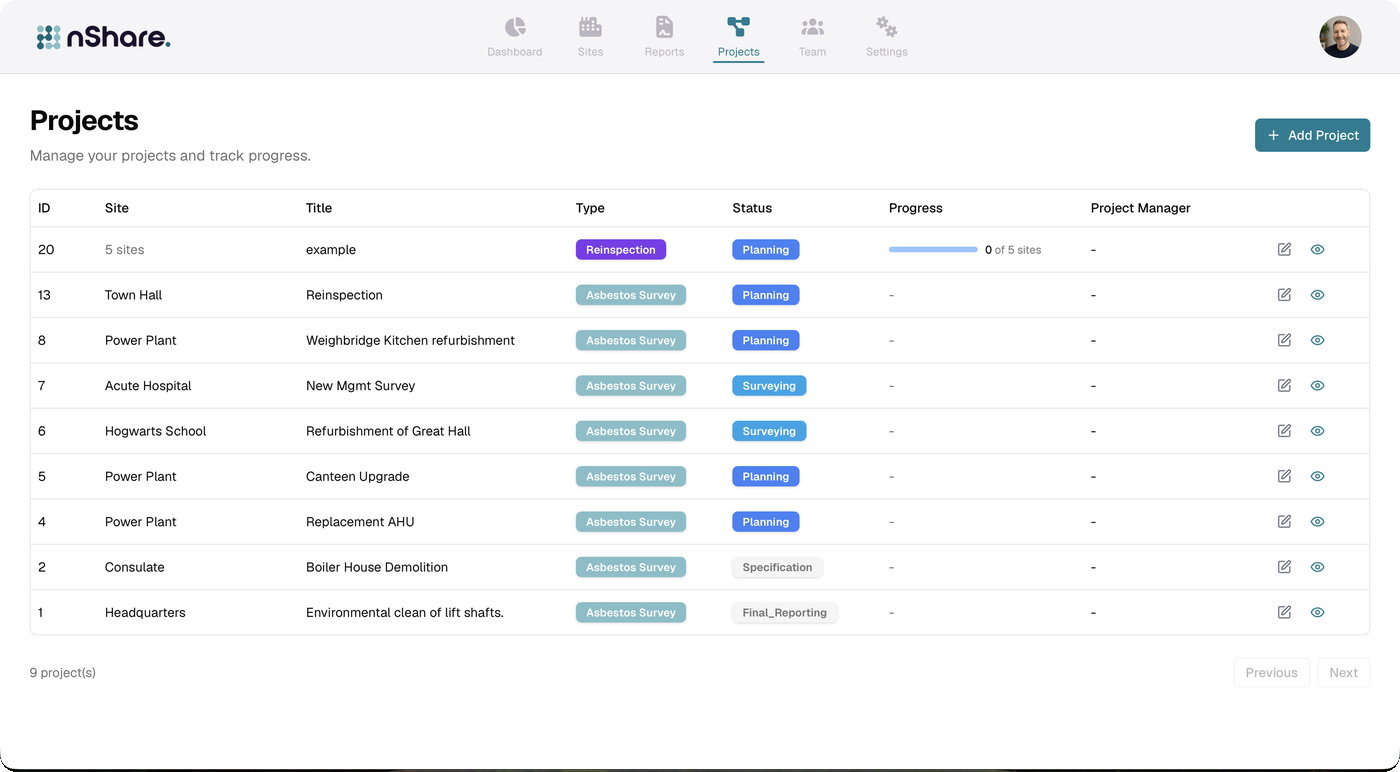
Raise a project against one site or many: a new management survey, a refurbishment, a re-inspection round. Track it from specification through surveying to final reporting, and see progress across every site it covers.
How delivery works
Your consultancy keeps their tools. You keep the record.
Consultancies on RubixMobile deliver straight in as structured data. Others upload their reports and registers; we take them from there. Either way, it's your record from the moment it lands.

Delivered as data
Registers, risk assessments, plans and actions arrive from the consultancy's RubixMobile account the moment a report is issued.
Uploaded and structured
Reports and registers from any provider are brought in against your sites, so the portfolio view is complete whoever did the work.
Nothing to migrate
Appoint the next consultancy, give them supplier access, and they pick up the existing register, history and plans.
See Dutyholder with your own portfolio.
Bring a site list and a recent report. We'll show you what the register looks like once it's yours.